GESTIONVAL ODNODN INFRASTRUCTURE Technical Inquiry

Installation and Use of Network Cabinets

Proper installation of network cabinets ensures organized, secure, and efficient network infrastructure while supporting scalability and maintenance.Planning and Space Assessment

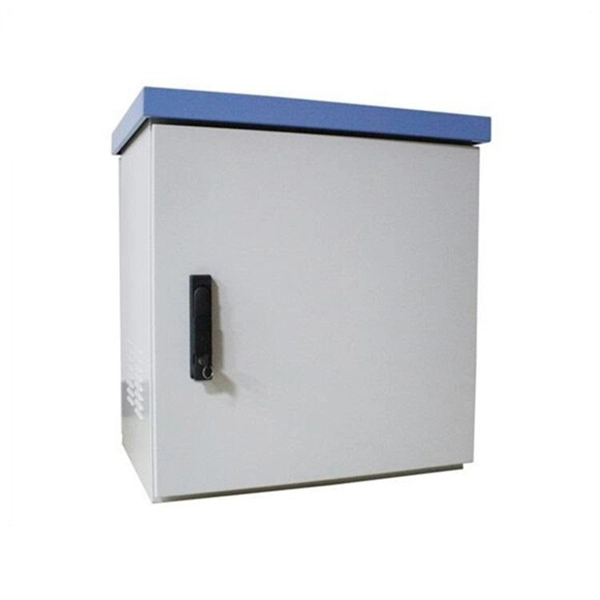
Before installation, assess your network's capacity requirements to determine the appropriate cabinet size and type, whether floor-standing for larger setups or wall-mounted for smaller spaces . Ensure sufficient space around the cabinet for airflow, maintenance, and future expansion. Consider environmental factors such as temperature, humidity, and proximity to power sources .

Cabinet Assembly and Setup
  1. Unbox and inspect the cabinet to verify all components are present, including the frame, doors, side panels, racks, and support feet .
  2. Assemble the cabinet frame and attach side panels and doors. For cabinets with ventilation, install fans or cooling units strategically to maintain airflow .
  3. Level the cabinet using a spirit level to ensure stability, especially for floor-standing models, and secure it with mounting screws or wall anchors as needed .
Power Distribution and Grounding
  • Identify power requirements and select a suitable Power Distribution Unit (PDU).
  • Mount and connect PDUs safely, separating power cables from data cables to reduce interference .
  • Properly ground the cabinet and implement surge protection devices to comply with electrical safety standards .
Equipment Mounting
  • Mount servers, switches, patch panels, and other devices according to rack unit (U) standards, ensuring even weight distribution to prevent tipping or stress on the cabinet .
  • Use rails or brackets provided with the equipment for secure installation.
Cable Management
  • Separate cable types: keep copper (Cat6) and fiber optic cables apart, and separate data from power cables to minimize electromagnetic interference .
  • Use horizontal and vertical cable managers, ladder racks, or trays to route cables neatly, prevent sagging, and maintain airflow .
  • Label all cables and equipment for easy identification and future maintenance .
Cooling and Airflow
  • Ensure adequate airflow by leaving space between devices and using fans or ventilation units.
  • Monitor temperature and humidity levels to prevent overheating and maintain optimal performance .
  • Consider hot-aisle/cold-aisle arrangements in larger installations to improve cooling efficiency.
Security and Maintenance
  • Equip cabinets with locks or access control to prevent unauthorized access .
  • Regularly inspect and maintain the cabinet, checking for loose cables, dust accumulation, and proper functioning of cooling and power systems .
Summary

Investing time in proper planning, assembly, cable management, power distribution, cooling, and security ensures a reliable, scalable, and efficient network cabinet setup. Following these best practices minimizes downtime, simplifies maintenance, and supports long-term network performance .

Installation and Use of Network Cabinets

Wall Mount Network Cabinet Installation Guide For Beginners

Learn how to choose, size, and install a wall mount network cabinet step by step. Covers 6U, 9U, ventilation, cable

How to Properly Install a Network Cabinet PDU

Learn how to install a network cabinet PDU for efficient power distribution, proper cable management, and enhanced equipment

Optimizing Data Center Infrastructure: Network Cabinets,Cable

Data centers, organizations and schools consists of server racks and network cabinets in the IT departments to

The Essential Guide to Network Cabinet Systems: Everything You

By selecting the right system, planning your installation carefully, implementing effective cable management practices,

Network Cable Management & Organization Guide | BradyID

Network cable management tools To avoid “spaghetti cabling” and lost data caused by damaged cables, you''ll want to use a number

Related Video Reference

This video was associated with the source search result. Verify technical details against current product documentation and project requirements.

Technical note

This reference is intended for preliminary ODN and passive infrastructure research. Topology, split ratio, box or cabinet capacity, closure rating, cable type, test limits and applicable standards must be verified for the specific project.

Still Have a Technical Question?

Use the inquiry form to describe an ODN network, passive component or distribution box question.

Start an Inquiry