GESTIONVAL ODNODN INFRASTRUCTURE Technical Inquiry

No internet access when connected to the fiber optic router

If your device connects to a fiber optic router but has no internet, the issue is often due to router, converter, or network configuration problems, which can usually be resolved with systematic troubleshooting.Check Hardware and Connections

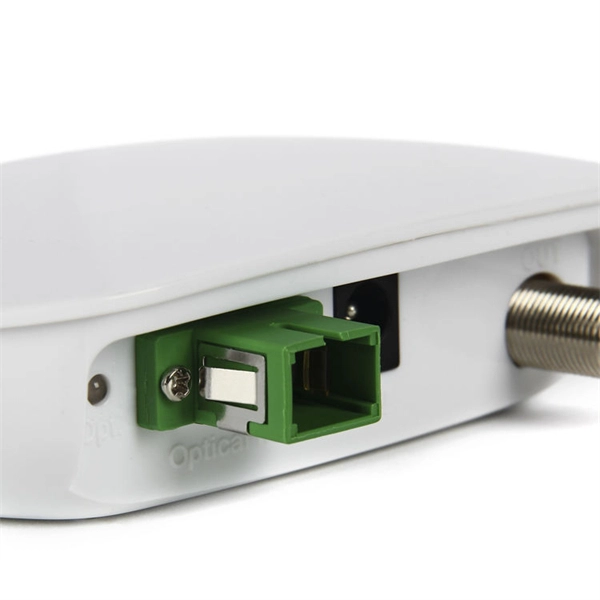
Ensure all cables are securely connected: the fiber wall box to the GPON converter, and the converter to your router. Inspect the fiber patch cord for bends or damage, as fiber cables are delicate and can disrupt the signal if mishandled . Verify that the LAN cable from the router's WAN port to the converter or wall socket is properly seated . Check the indicator lights on your router and converter; a solid or blinking green light usually indicates proper connectivity, while yellow or red may signal a problem .

Restart Your Equipment

Power-cycle your network devices. Turn off your personal router, the ISP's modem/router, and the GPON converter. Wait at least 10–30 seconds, then turn them back on, allowing 2–5 minutes for all devices to boot and establish a connection . This clears temporary glitches and refreshes the connection to your ISP.

Verify Network Settings

On your device, ensure you are connected to the correct Wi-Fi network with the right password. If your device previously connected to another network, forget the network and reconnect as a new device . Check whether you are on the 2.4 GHz or 5 GHz band; some devices perform better on 2.4 GHz, especially at longer distances . Resetting network settings on your device can also help establish a fresh connection.

Advanced Troubleshooting

If restarting and checking connections do not work, try swapping LAN cables between the router and converter to rule out a faulty cable . Updating your router's firmware or adjusting DNS settings may resolve configuration issues . If only one device is affected, the problem is likely with that device rather than the network .

Check ISP Status

Sometimes the issue is with your Internet Service Provider. Visit your ISP's website or social media pages for outage updates, or contact their support to confirm service status . If the ISP confirms no outage, the problem is likely local to your home network.

Summary
  1. Inspect and secure all fiber and LAN connections.
  2. Power-cycle the GPON converter, ISP modem/router, and your personal router.
  3. Verify Wi-Fi network, password, and frequency band.
  4. Reset network settings or forget and reconnect to the network.
  5. Swap cables, update firmware, or adjust DNS if needed.
  6. Contact your ISP if the problem persists. Following these steps resolves most “connected but no internet” issues with fiber optic setups .
No internet access when connected to the fiber optic router

No Internet After Fiber Installation? Expert Troubleshooting Guide

If your fiber internet shows no WAN connection, first verify the fiber optic cable is securely connected to the ONT (Optical Network

How to Troubleshoot Fiber Internet Outage: Step-by-Step

This guide will provide you with step-by-step troubleshooting tips to identify and potentially resolve common fiber internet issues. By

internet/fiber-optic-no-wireless-internet

You have a wireless device that can''t connect to the internet using your wireless network. Make sure: The broadband home router is

Fiber Internet Installation Guide | BroadbandSearch

The Router Your router connects to the ONT via an Ethernet cable and distributes the internet signal to your devices

Fiber ONT Troubleshooting

An optical network terminal (ONT) is a device that converts fiber-optic light signals from your internet service provider

PLDT Home Fibr Connected But No Internet Access (Easy Fixes)

There is a fiber-optic slot on the rear panel of your modem. Make sure that both ends of the patch cord are properly

The Best Routers for Fiber Internet: My Expert Picks

By using the best router for fiber internet, you can get the most out of the fast speeds. So, if you want unparalleled

How Is Fiber Optic Internet Installed?

Fiber Optic Router or Gateway - You''ll need a fiber-compatible router to ensure you get the maximum speed from

How to Connect Fiber Optic Cable to Router: A Step-by-Step Guide

Check for internet access: Connect a device to your router via Wi-Fi or Ethernet. Run a speed test: Use tools like

Optimize Fiber Internet Speed

Optimize your fiber-optic internet with tips on hardware, router placement, and troubleshooting for top speeds.

How to Connect Fiber Optic Cable to Router: Top 5 Easy Steps

Learn how to connect fiber optic cable to router with our step-by-step guide. Optimize your home network for speed

Compare Fiber Optic Internet Providers In Your Area

What is fiber internet? Fiber internet is a broadband connection that runs on light signals from fiber-optic cabling, delivering multi-gig

Related Video Reference

This video was associated with the source search result. Verify technical details against current product documentation and project requirements.

Technical note

This reference is intended for preliminary ODN and passive infrastructure research. Topology, split ratio, box or cabinet capacity, closure rating, cable type, test limits and applicable standards must be verified for the specific project.

Still Have a Technical Question?

Use the inquiry form to describe an ODN network, passive component or distribution box question.

Start an Inquiry